01 · Home and Projects
See every client at a glance.
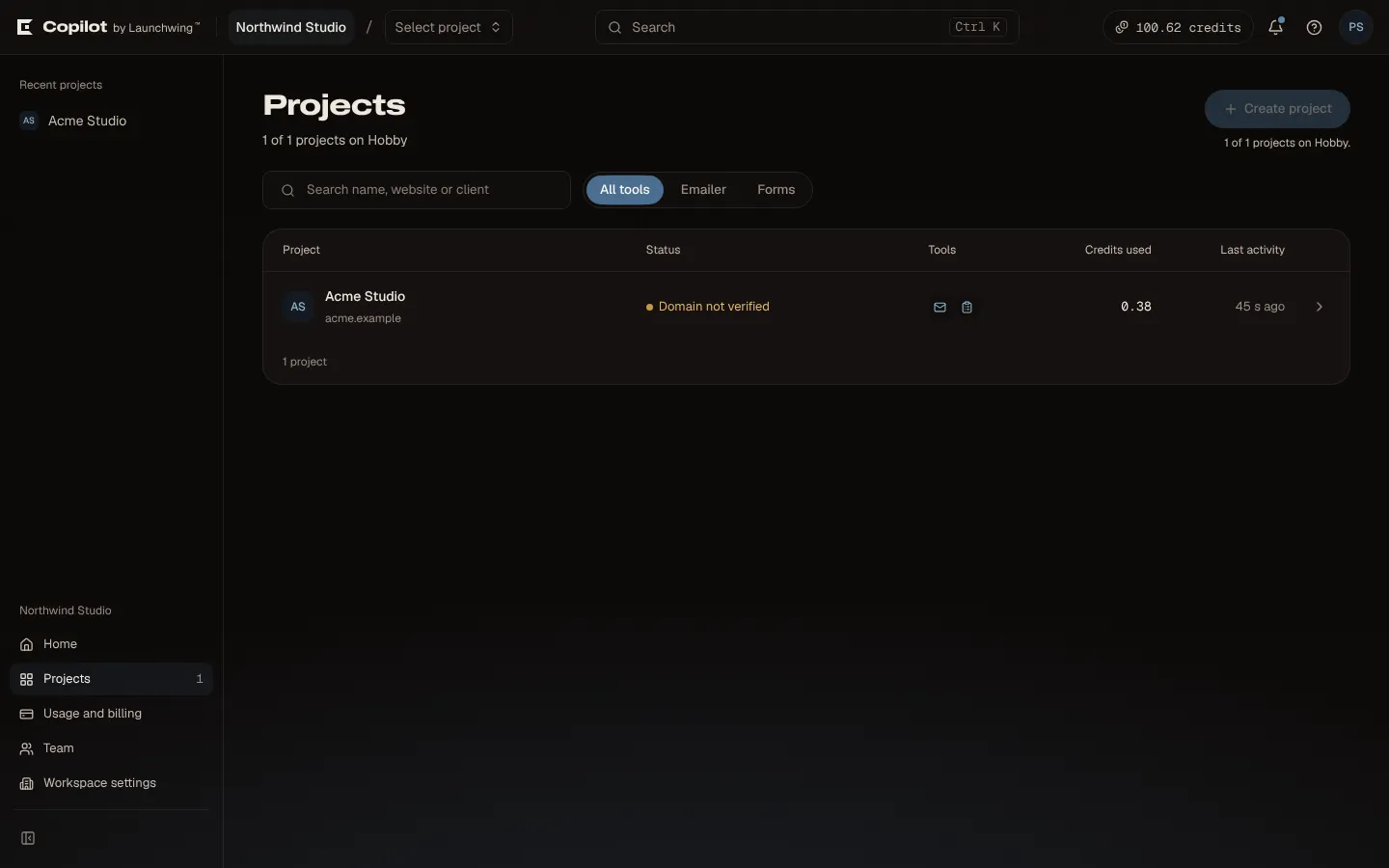
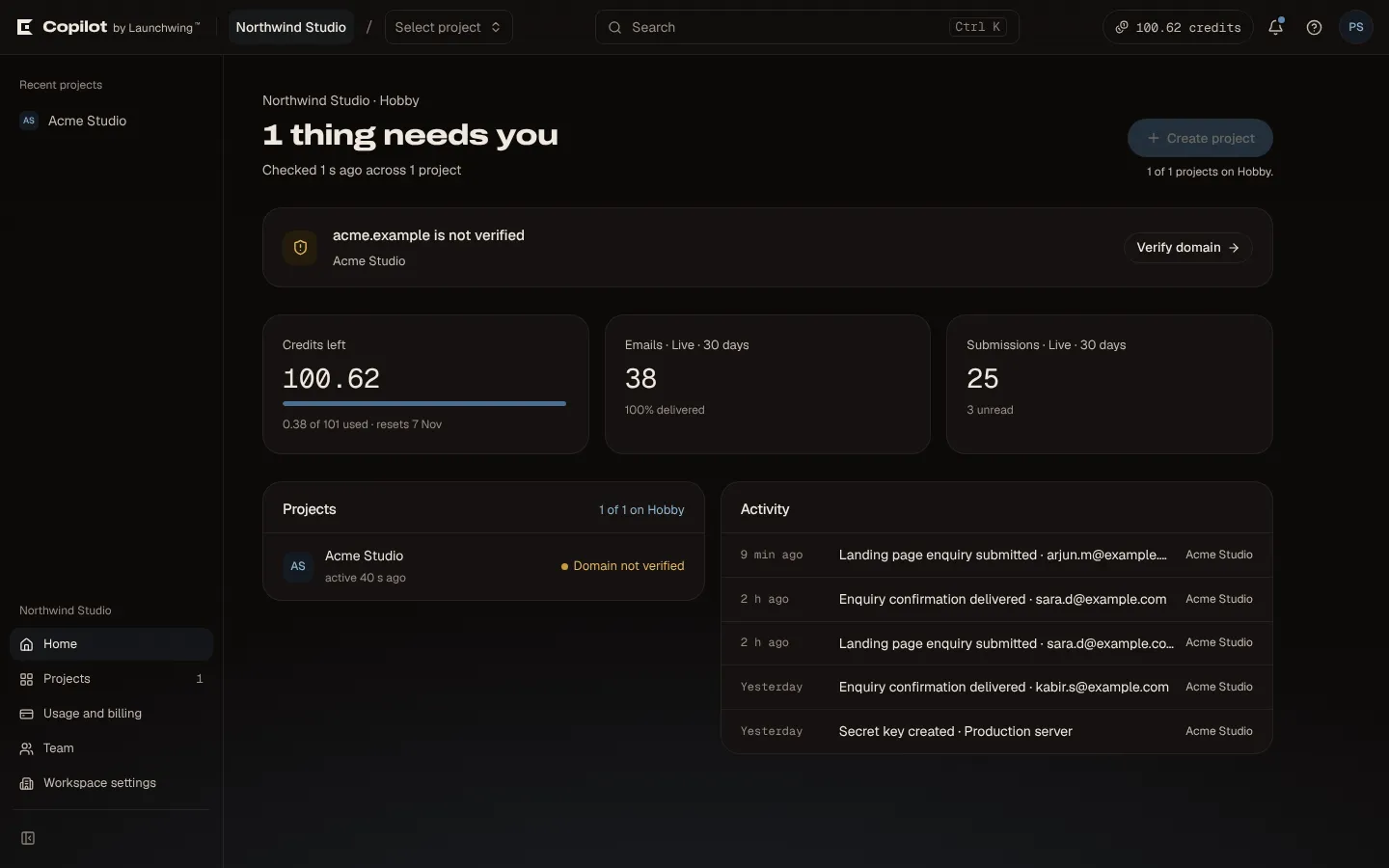
Each client is one project. Home lists what needs attention across all of them; Projects lists the clients, each with its own tools, keys and log.
For freelancers and agencies
See what each client site needs, before anyone has to ask.
Home screen · Sample data.
01 The moment
Then the search starts. Which dashboard was that form on? Which key does the site use, and is it the test one? Which log would show the failure? And did anything tell you, or did you hear it from them?
With Copilot the row is on your home screen before the message arrives.
02 How it works
Each client is one project. Home lists what needs attention across all of them; Projects lists the clients, each with its own tools, keys and log.
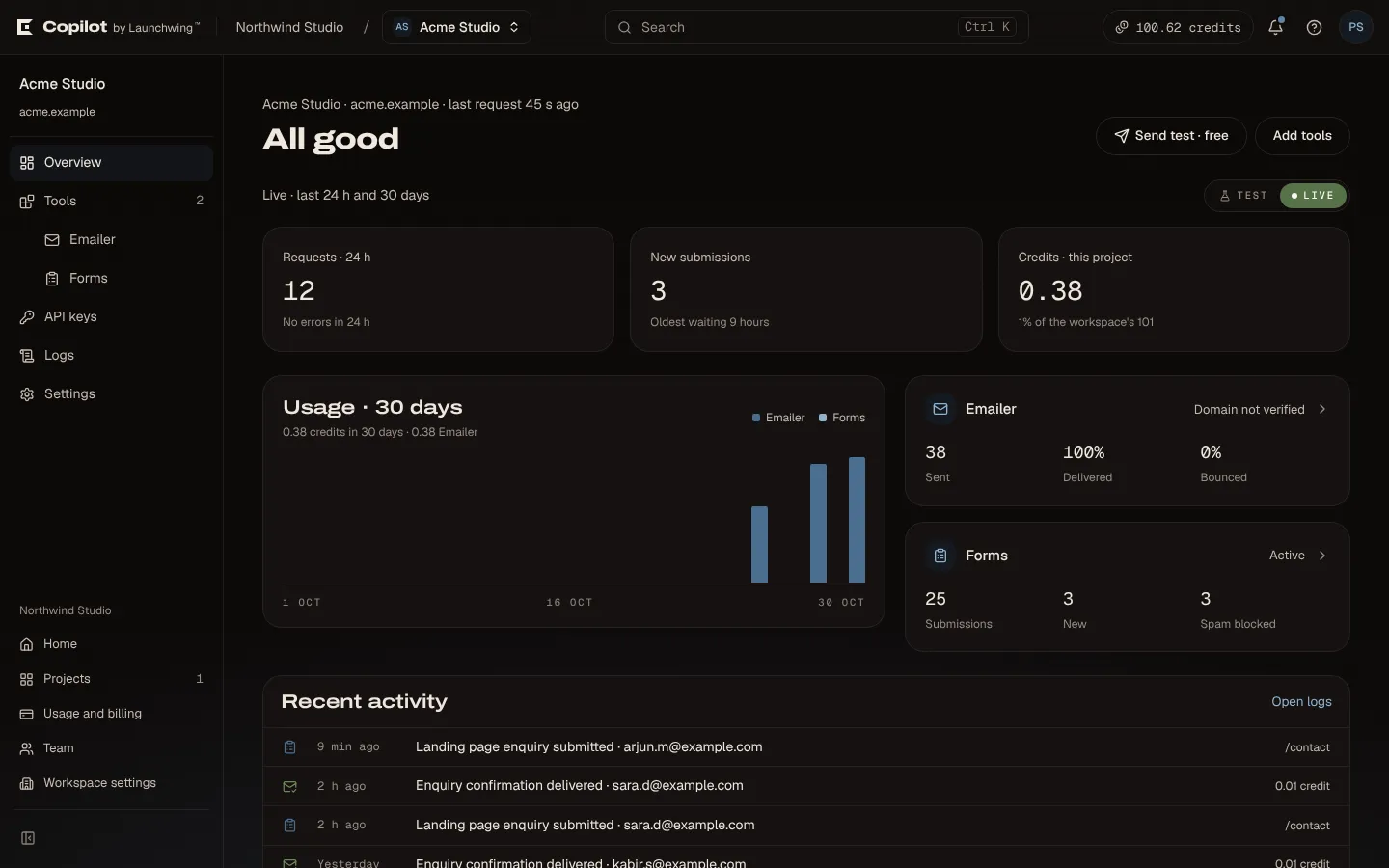
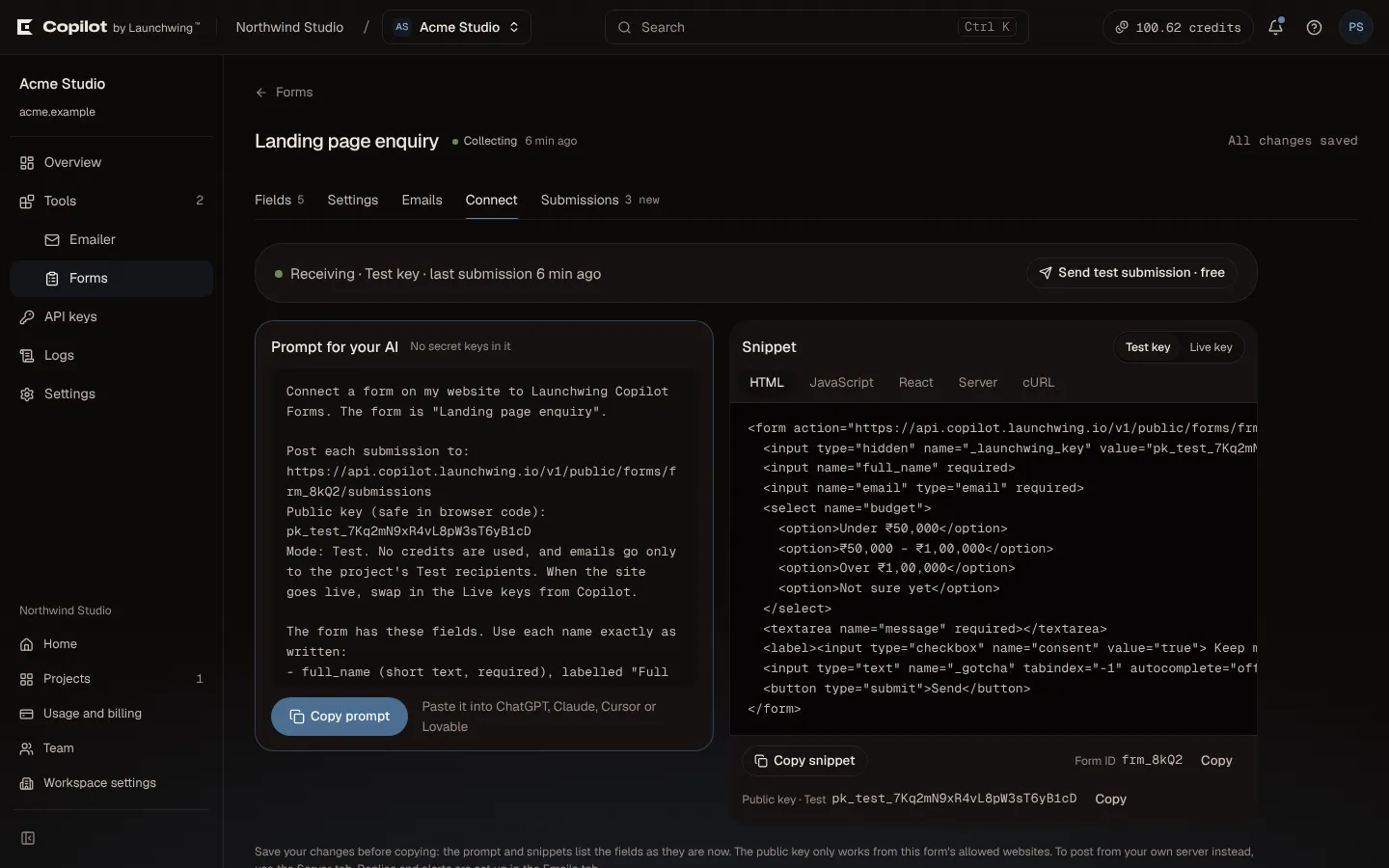
The project overview shows one client at a glance: requests, new submissions and credits used. Forms connect gives you a ready-made prompt for your AI coding tool; it never contains a secret key, which goes in an environment variable.
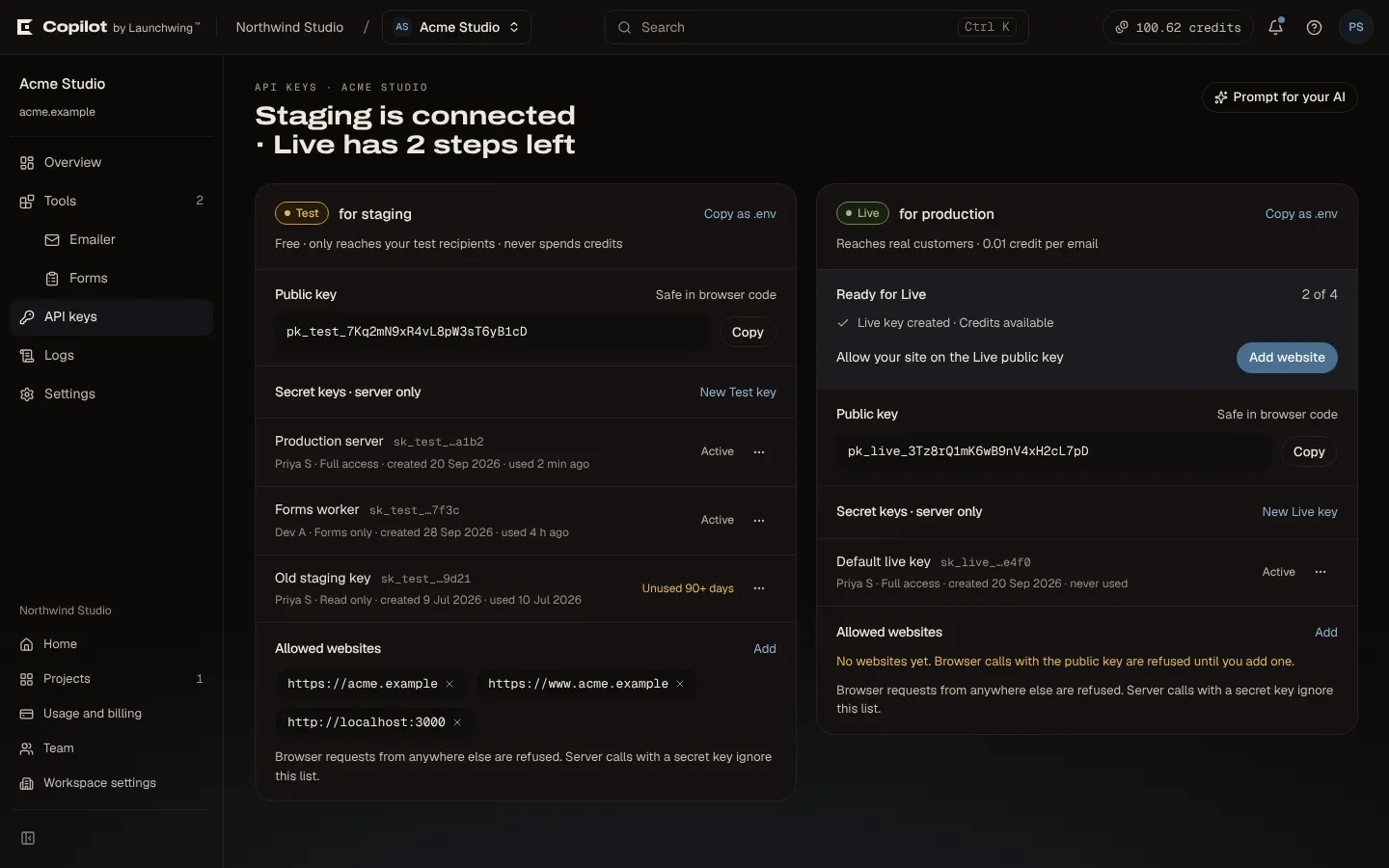
Every project has Test and Live keys from the first minute. The Ready for Live checklist shows what is left before you switch.
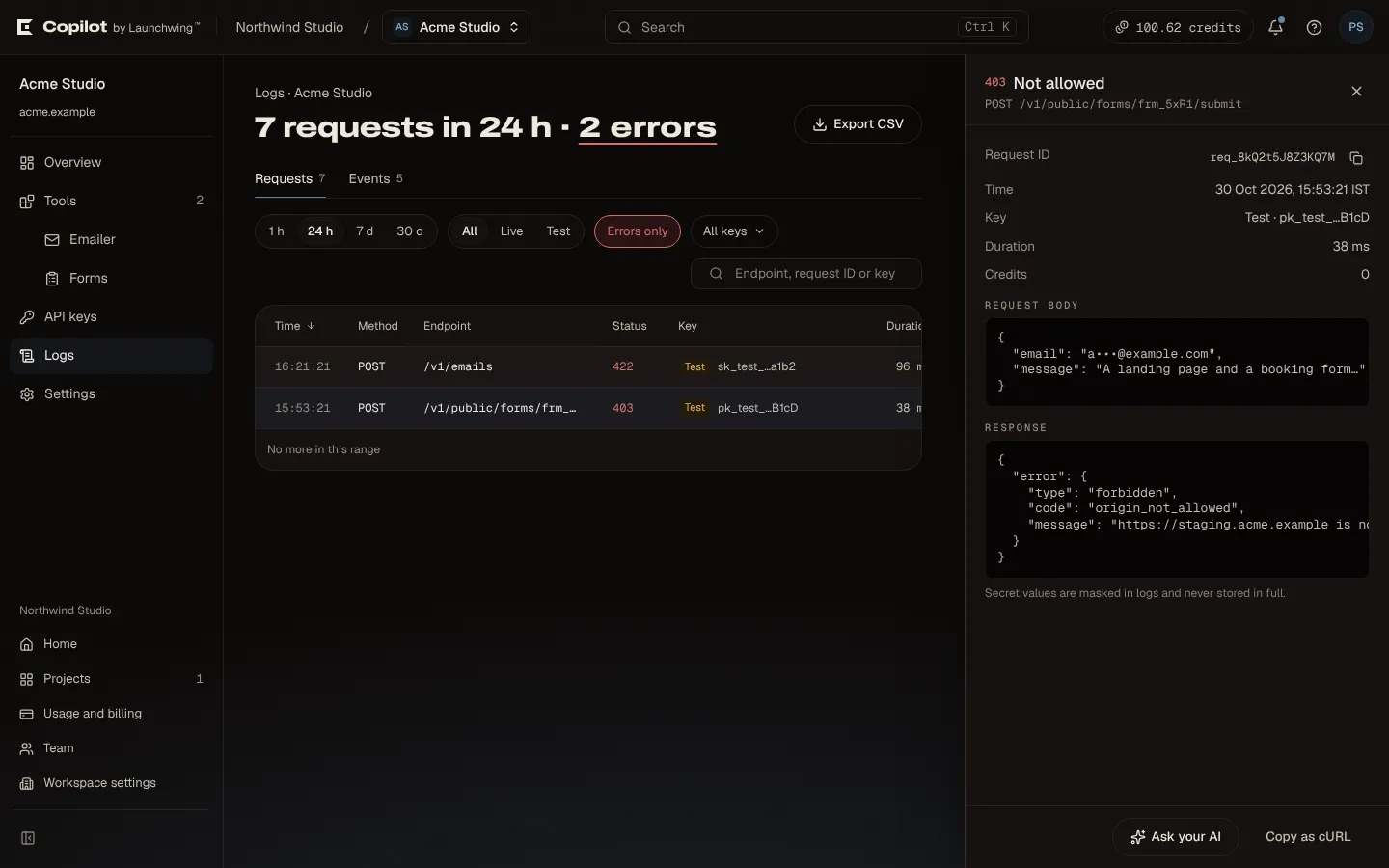
Every request is logged. Filter to errors, open the row, and the drawer shows what happened and the request ID to quote to support.
03 What your client sees
Your client signs in and sees their projects. They stop asking you for updates.


Preview of the client dashboard.
04 Why Copilot
Eight client sites are eight projects in one workspace, not eight dashboards.
Once the domain is verified, email goes out as hello@theirdomain.in. The free plan sends from a Launchwing address.
Forms are free. Only sending email uses credits.
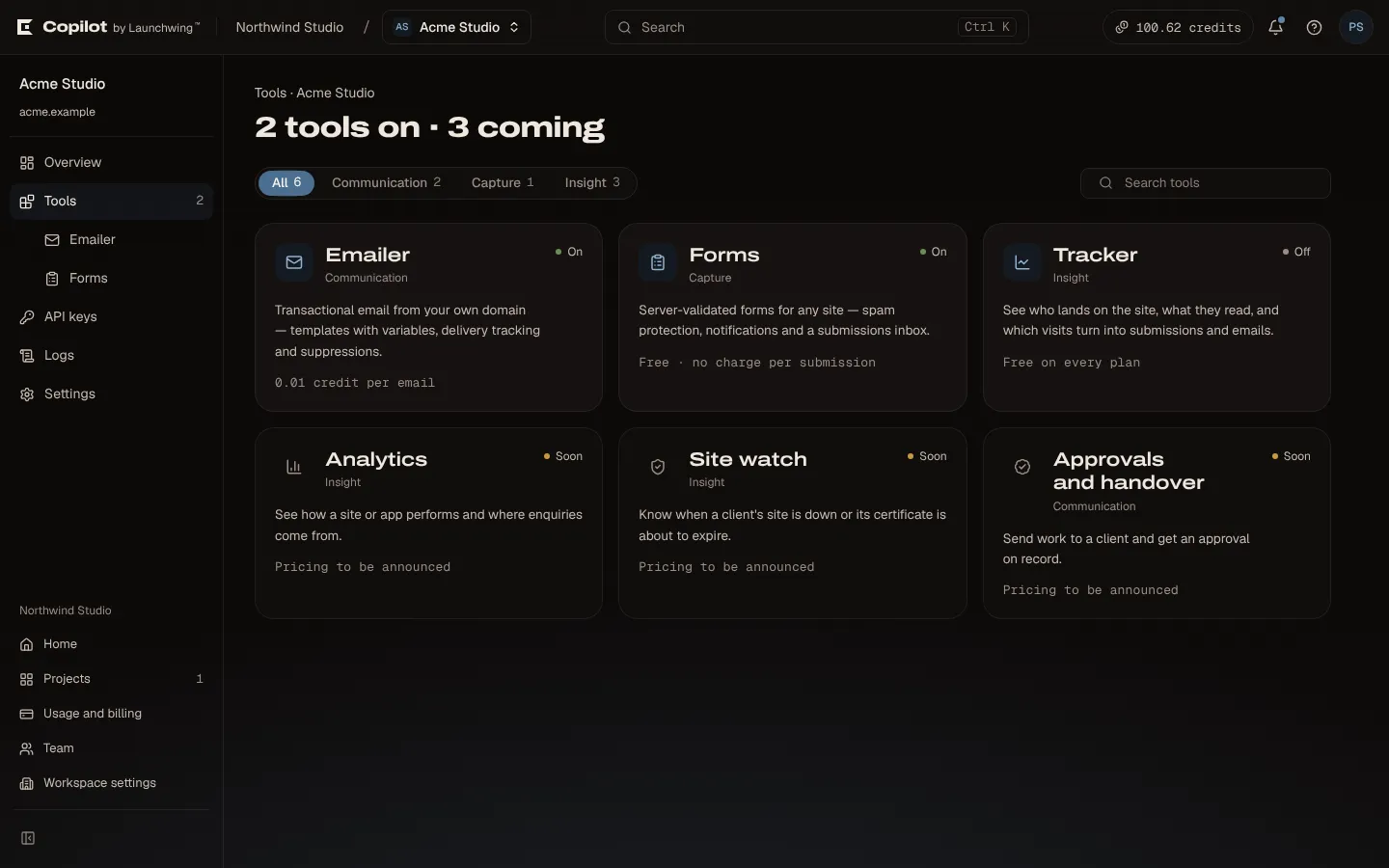
05 Inside a project
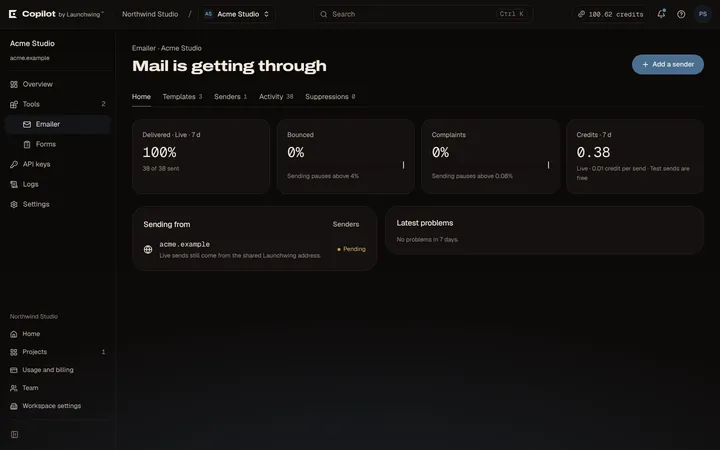
06 Use your AI coding tool
Connect a form on my website to Launchwing Copilot Forms. The form is "Landing page enquiry".

Post each submission to: https://api.copilot.launchwing.io/v1/public/forms/frm_8kQ2/submissions
Public key (safe in browser code): pk_test_7Kq2mN9xR4vL8pW3sT6yB1cD
Mode: Test. No credits are used, and emails go only to the project's Test recipients. When the site goes live, swap in the Live keys from Copilot.

The form has these fields. Use each name exactly as written:
- full_name (short text, required), labelled "Full name"
- email (email, required), labelled "Email"
- budget (dropdown): send one of "Under ₹50,000", "₹50,000 – ₹1,00,000", "Over ₹1,00,000", "Not sure yet" exactly
- message (long text, required), labelled "What do you need?"
- consent (consent checkbox): one checkbox with value="true"; unticked sends nothing. In JavaScript send true if ticked, false if not.

How to send it, either way works:
- Plain HTML: <form action="https://api.copilot.launchwing.io/v1/public/forms/frm_8kQ2/submissions" method="POST"> with a hidden input named _launchwing_key set to the public key. The browser leaves the page on submit; what it shows next is set in the form's settings in Copilot.
- JavaScript: POST JSON { "fields": { ...the values above }, "_gotcha": the honeypot value, "pageUrl": the page address } with the headers Content-Type: application/json and X-Launchwing-Key: the public key. If the reply is not OK, show error.message from the JSON reply and keep what the person typed. On success, show the reply's message and clear the form.
- Either way, add a hidden text input named _gotcha, left empty and out of sight (display: none, tabindex -1, autocomplete off). It catches spam bots; keep it.

Rules:
- Use only the public key above. Never put a secret key (sk_...) in website code.
- Copilot only accepts posts from this project's allowed websites. If my site's address isn't allowed yet, tell me to add it in Copilot under API keys, or in this form's settings if the form has its own list.
- Keep my site's existing design. Change only what is needed to connect the form. 07 Pricing
Credits will be bought in packs. 1 credit = ₹1. Forms are free; only sending email uses credits. Payment will be in rupees through Razorpay.
08 FAQ
No. Start free and make your first client project without one.
Yes, once you verify their domain in Emailer. Until then, and on the free plan, email sends from a Launchwing address.
The snippet from Forms connect, or the code your AI tool writes from the prompt. The secret key stays in an environment variable on the server, never in the browser.
It shows up on your home screen with the reason. Every request is in Logs with a request ID you can quote to support.
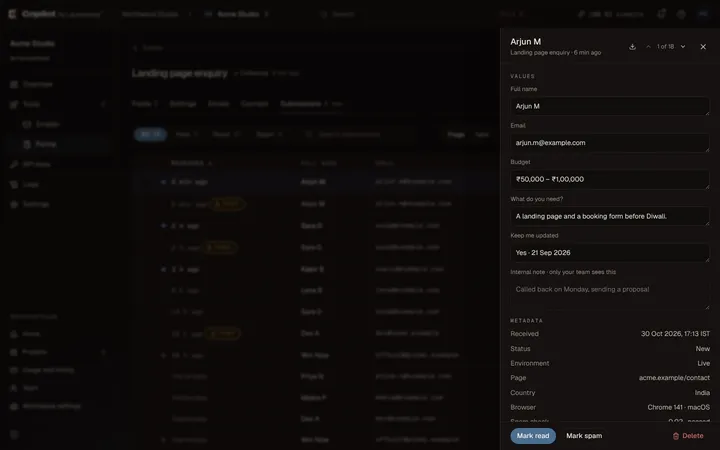
Yes. Export your form submissions from Forms at any time.
The Privacy page says where data is stored and for how long.
In rupees through Razorpay. Refunds follow the Refunds and cancellation page.
Copilot is a Launchwing™ product. Write to support@launchwing.io; the seller is named on the Refunds and cancellation page.
Made by Launchwing™ in Bangalore, India. Questions: support@launchwing.io.